Visioform Personal Growth Resources
Training, Books, Ebooks, Articles, Life Coaching and Free Courses for a creative, conscious and fulfilled Life
Find out
- how to become director of your own life
- how to develop and strengthen your positive self
- how to discover your life purpose
- how to build self confidence, self worth, self respect and trust
- how to recognise and transform negative
patterns
- how to access your inner resources
- how to find fulfilment in love

Do you live the life you choose?
Living the Life You Choose is an inspiring llife changing program on personal and spiritual growth. It is about living an authentic life, building self confidence, self worth and self respect. In addition by following the whole program you can also find fulfilment in love, and how to have great sex beyond co-dependence and relationship addiction.
This hands-on training program is based on forty years of research, work with thousands of people from all over the world and a lifelong personal experience of Selfgrowth and transformation
Time to treat yourself to a fulfilled life?
Tired of Suffering? Joy is a choice.
I won't promise you that it will be done in seconds or minutes. If it were so easy I am sure you would have done it by now with all the books and instructions around.
All my work and my own experience have taught me that many people resist doing what would be good for them.
You wonder why? Read on
And here is your choice for self help
- Improving Your Self Esteem
- Positive Affirmations For Money, Love And Health
- Living Your Life's Purpose
- Creating Healthy Relationships
Recommendations
Personal Growth from SelfGrowth.com-- SelfGrowth.com is the most complete guide to information about Personal Growth on the Internet.
AuthorsDen.com
Where authors and readers come together!
If you click on (v) in publications on the left-side menu, more offers will open for you
|
Living the Life You Choose
Successful, life-changing self improvement package
 3 Ebooks 3 Ebooks
1 Meditation-CD

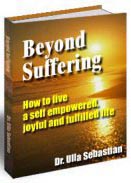
Joy is a choice
In-depth understanding and hands-on instructions on how to live a self-empowered, joyful and fulfilled life
Mailinglist
Order the Newsletter for actual information
|